
Virtual try-on for clothing
With Prevyou, a shopper uploads a full-length photo and sees your top, trousers, dress, jumpsuit, jacket or coat on their own body in about 15 seconds. Only the garment from your product page changes: their face, hair, pose, background and the rest of their outfit stay the same.
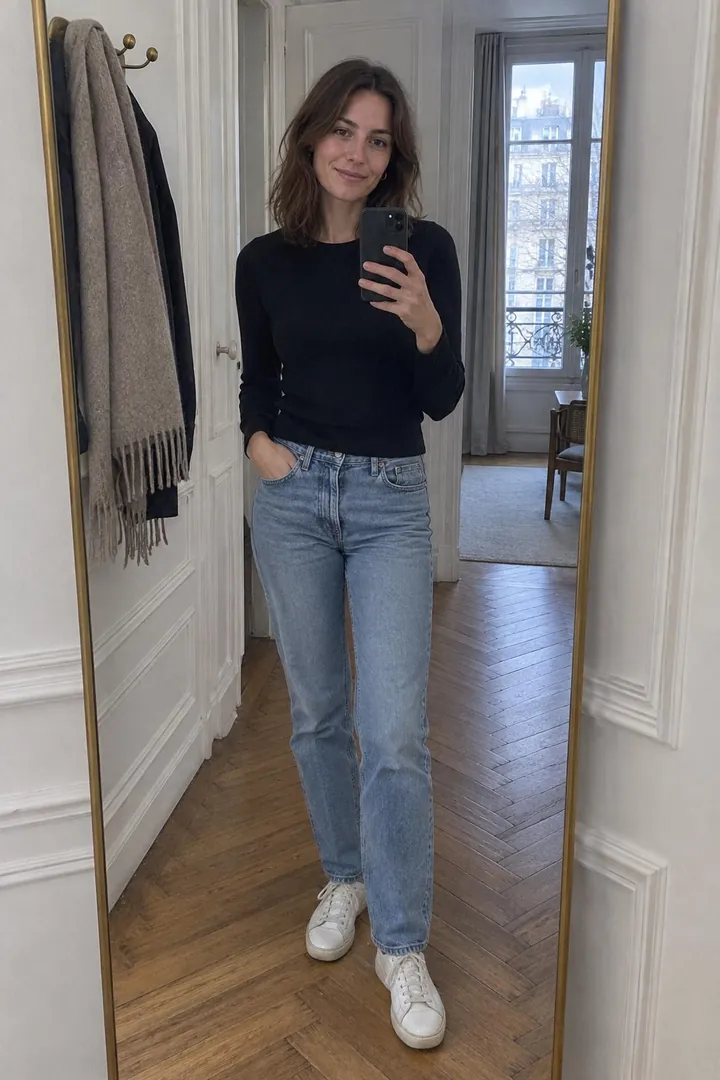 01The shopper’s photo
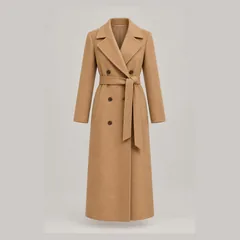 02Your product photo
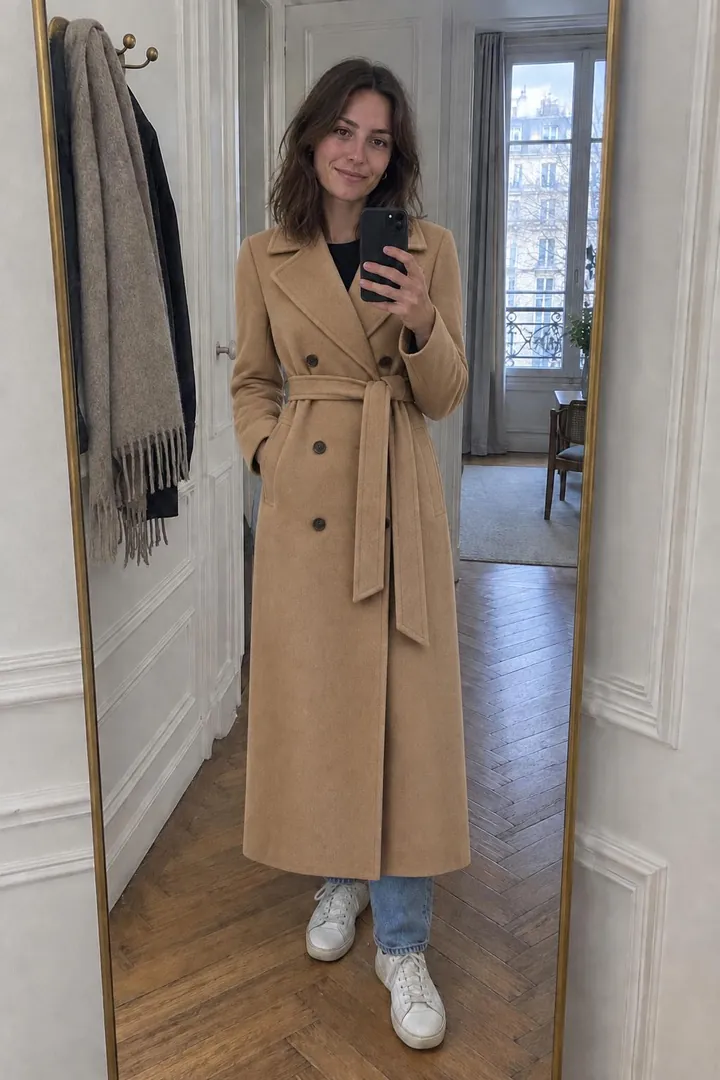 03The generated try-on
Garments supported
Tops, T-shirts, shirts, sweaters and hoodies; trousers, jeans, shorts and skirts; dresses and jumpsuits; jackets, coats and cardigans. A new top replaces the previous one; a coat is layered over the outfit; a dress replaces both top and bottom.
Complete the look
After a first result, shoppers can add a second piece to the same photo — jeans with the shirt, a coat over the dress — and add the whole look to the cart. Two pieces of the same kind are never stacked.
Which product photos work
A photo on a model, on a mannequin or laid flat. Prevyou uses only the garment shown on your product page, even when the model wears a full outfit.
Good photo for shoppers
Standing, facing the camera, head to toe, in good light. The window shows these tips before upload.
Frequently asked questions
Does virtual try-on show the right size?
It shows how the style, color and cut look on the shopper. It is a visual aid, not a measurement: the image is labelled as AI-generated and indicative.
Can shoppers try several pieces together?
Yes, with “Complete the look”: each new piece is added to the same photo, then the whole look can be added to the cart.