
Virtual try-on for glasses and sunglasses
For eyewear, Prevyou asks the shopper for a face-and-shoulders photo and places your frames on their face in about 15 seconds. If they already uploaded a full-length photo, the glasses can be added on top of the outfit they built.
 01The shopper’s photo
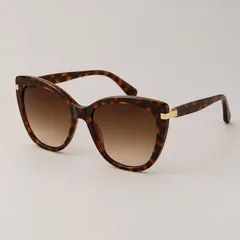 02Your product photo
 03The generated try-on
How it works
The shopper taps “Try it on” on your glasses or sunglasses. The window asks for a photo framed on the face and shoulders, which shows the frames at a useful size.
With the rest of the look
Glasses can be added to a full outfit created with “Complete the look”, and the whole look goes to the cart in one tap.
Product photos
A front view of the frames works best. Prevyou detects eyewear from your product type and title; you can correct the type in Prevyou → Products.
Frequently asked questions
Is it a live camera (AR) try-on?
No. Prevyou works from a photo, which gives a realistic still image and works on every device without an app or camera permission.