
How AI virtual try-on works for Shopify stores
By , Prevyou team · Published · 4 min read
AI virtual try-on takes one photo of the shopper and your existing product photo, and an image-generation model draws the product on the shopper while keeping their face, pose and background. On Shopify it works without 3D models or a new photoshoot: you add a button to your theme and each try-on takes a few seconds. It shows style and overall fit realistically, but it is an illustration, not a body measurement.
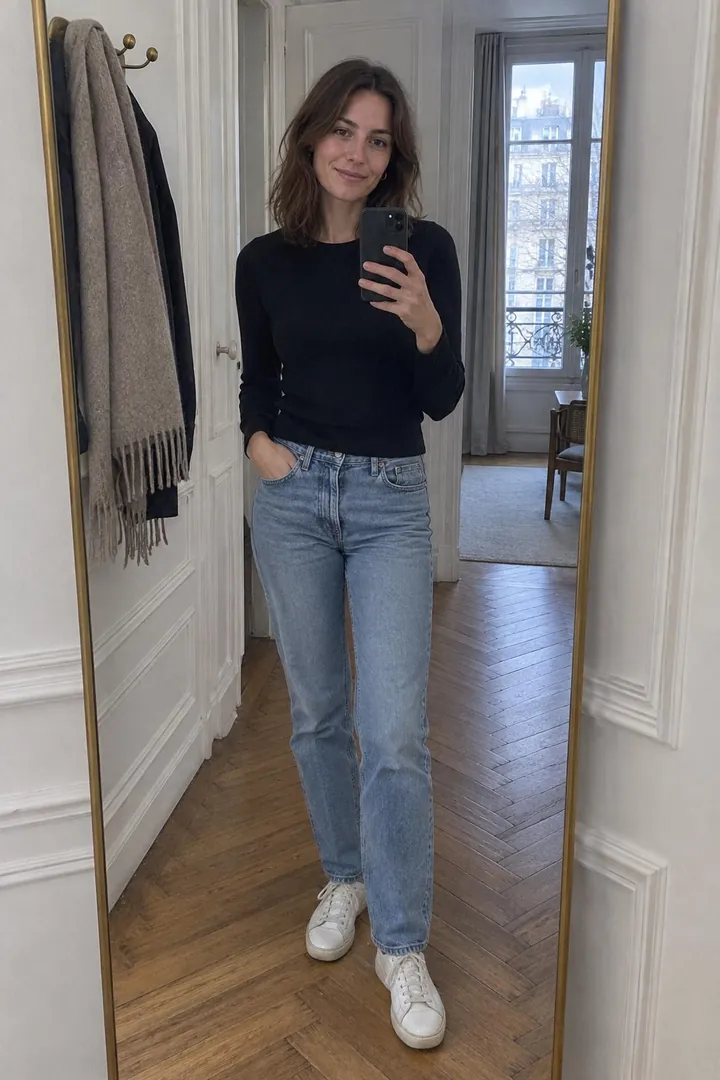
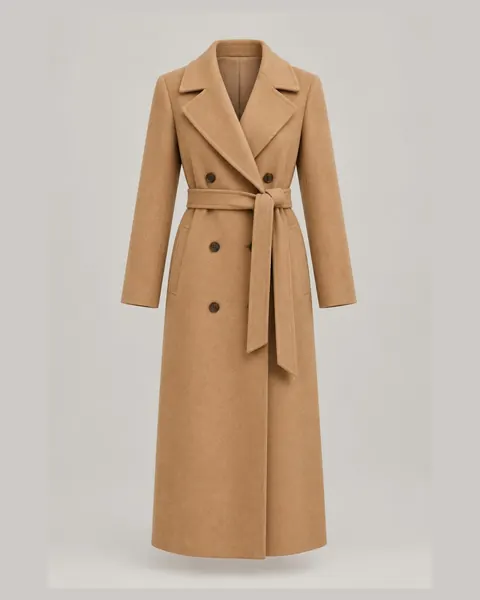
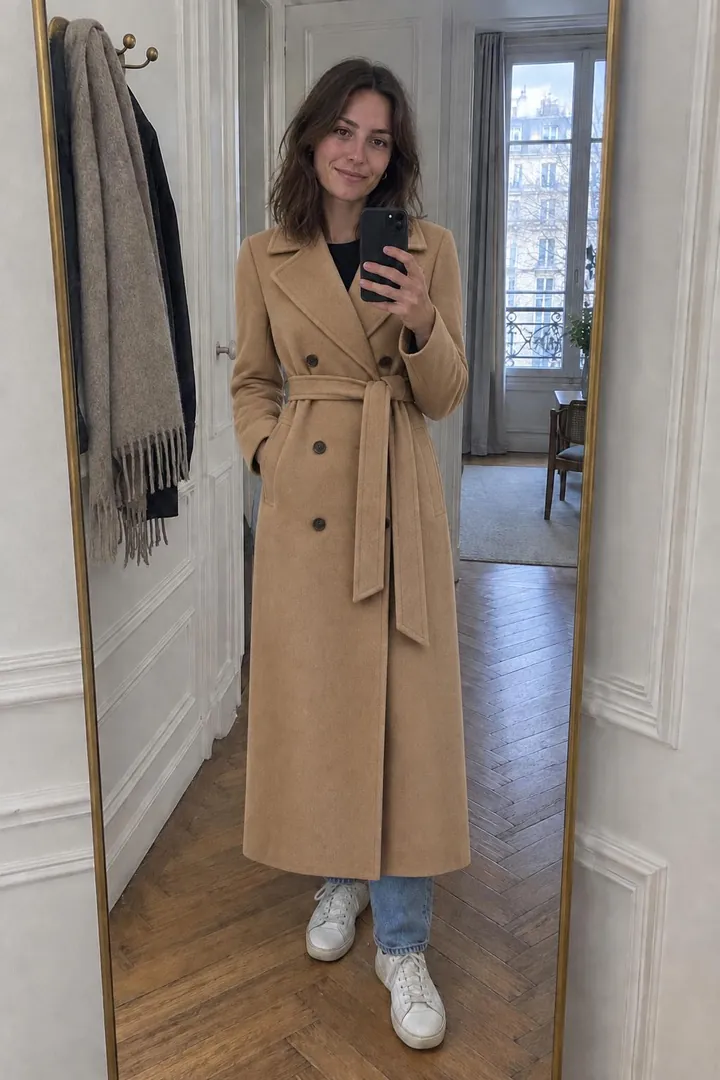
What happens during an AI virtual try-on?
- The shopper taps the “Try it on” button on a product page, a product card or in the cart.
- They accept the consent box and add a photo: full length for clothing, shoes and bags, face and shoulders for eyewear and earrings, hand and wrist for rings and watches.
- The app sends the shopper photo and the product image to an image-generation model, with instructions to replace only that item and keep the face, pose, other clothes and background.
- The result appears in a few seconds (about 15 seconds with Prevyou). The shopper can try another product on the same photo or add the item to the cart.
What does your Shopify store need?
Nothing new to produce. AI try-on uses the product photos you already have on Shopify — a photo of the item alone works best, but a photo on a model also works because the app keeps only the product shown on the page.
On the technical side, you need an Online Store 2.0 theme (Dawn, Horizon and most recent themes). The button is added as a theme app embed, so there is no code to edit and nothing to undo if you uninstall. Products that cannot be worn, such as candles or gift cards, should be excluded from try-on.
Which products work well with virtual try-on?
Tops, dresses, trousers, jackets and coats give the most convincing results because the model only has to redraw one garment on a full-length photo. Shoes and bags work on the same full-length photo.
Accessories need the right framing. Glasses, necklaces and earrings are small on a full-length photo, so the app should ask for a face-and-shoulders photo; rings, bracelets and watches need a close-up of the hand. Apps that use a single full-length photo for everything give weak results on jewelry.
What are the limits of AI virtual try-on?
- It is an illustration, not a measurement: it shows style, colour and overall length, but it does not replace your size guide.
- Fine details such as small prints or embroidery can differ slightly from the real product.
- Garment length is estimated from the photo, so a dress can look a little longer or shorter than in reality.
- Each try-on uses AI computing power, which is why most apps charge per try-on rather than a flat fee.
What does it change for your store, and how do you measure it?
Virtual try-on works on two levers. Shoppers who see a product on themselves hesitate less, and when several pieces can be tried on the same photo, they add complete looks to the cart instead of a single item.
Results depend on your products and audience, so measure them on your own store: share of visitors who try a product, add-to-cart rate after a try-on, conversion rate and average order value of shoppers who used try-on versus those who did not, and return rate by reason. Prevyou’s dashboard tracks try-ons, add-to-carts, orders and revenue after try-on.
What happens to shopper photos?
A try-on uses a photo of the shopper’s face or body, so consent and retention matter, especially in the EU. Look for an app that asks for consent before the upload, deletes the photo as soon as the result is ready, keeps the result only briefly and never uses photos to train AI. Prevyou deletes the shopper photo once the result is ready and the result within 24 hours.
How do you add virtual try-on to your Shopify store?
- Install the app from the Shopify App Store.
- In the theme editor, turn on the app embed: the button appears under add to cart.
- Choose which products and collections offer try-on, then test with your own photo.
Try Prevyou on your store
Free to start, set up in minutes, no code.
Frequently asked questions
Does AI virtual try-on need 3D models of my products?
No. It works from the product photos you already have on Shopify. 3D models are needed for AR try-on, which is a different technology.
Does it work on mobile?
Yes. Most shoppers use it on their phone: they take a photo or pick one from their gallery, and the result appears in the same window.
Is the result accurate enough to choose a size?
It shows style, colour and overall fit, but it is not a body measurement. Keep your size guide next to the try-on button.
How much does AI virtual try-on cost on Shopify?
Apps usually charge per try-on or through monthly plans with a number of try-ons included. Prevyou offers 10 free try-ons every month, then pay as you go from $0.20 to $0.09 per try-on, or plans from $29 per month.